

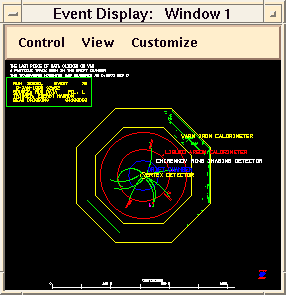
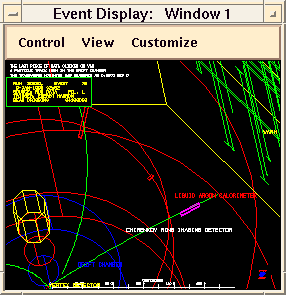

The computer below shows the results of electron-positron collisions as physicists see them in SLAC's SLD detector. Physicists at SLAC use this "Event Display" program to study the behavior of the Z particle.
The SLD detector is a three story high structure that sits at the interaction point of the Stanford Linear Collider. When one looks at it, one sees a mass of wires, conduits and pipes disappearing into an immense structure of iron and scaffolding. Data emerges from the detector through thousands of channels of complex electronic circuitry. To "see" what's going on inside the detector, physicists use computer-generated visualizations such as this display.
The data you see here represents the most recent Z particle events recorded by the SLD detector. If SLD is currently running, you can see the particle physics interactions here in real time, just as fast as any of the physicists are seeing them.
This is an interactive display. You can rotate the events in 3D, zoom in on details and click on parts of the display to learn more.
To see the most recent event, use the left mouse button to click on the "Control" menu then select "Show Next Physics Event." Try it!
Look at the time stamp in the upper left corner of the display to see when this particle event occurred. If the SLD detector is currently taking data, the events you see will be only a few minutes old.

The screen may already include some slider boxes to control zoom, rotation and translation. If not, you can bring these boxes up now. Use the left mouse button to click on the "View" menu then select "Zoom...", "Rotate..." or "Translate...".
Once you have the slider boxes up, use the left mouse button to click on and drag the slider. Try it!
Another way to adjust the display is to click somewhere on the display with the middle mouse button, keep holding the button down, and then drag the mouse to a different part of the display. When you release the button, the display will focus in on the part of the display that you just outlined. Try it!
If you see the information box in the upper left corner, but there isn't much else on the screen, it may be that the previous user zoomed all of the interesting parts of the image off the screen. To reset the display, use the left mouse button to click on the "View" menu then select "Reset to Standard View."
You can learn more about what is displayed by using the left mouse button to click on parts of the display. Each time you click on part of the display, the message in the top left corner will update to tell you about the object you clicked on. Try it!
There is enormous variation in how the Z particle can decay. Sometimes the Z will decay into just two particles. Other times, you will see many different particle tracks in the display. Use the "Control" menu's "Show Next Physics Event" button to see how successive Z particles decay.