Instructions for Setting SLD Shift Availability

A simple interface has been set up to allow all SLD collaborators to set their shift availability for the upcoming run, in accordance with the policies set by the shift policy committee. The interface is currently in the final stages of testing, and will be available for collaborators beginning April 8th 1994. Between April 8th and May 1st each collaborator is responsible for setting their shift availability for each shift block to one of three options: After May 1st shift availability for the first three months of the run will be frozen and a program will be run to assign shifts to collaborators.

This document describes how to set your shift availability.

Note:

Although it will be possible to access the shift availability database for testing purposes before the April 8th inauguration date, any changes to the database made before this date will not take effect.

How to set your shift availability

The shift database is accessible through, and can be modified using, the World-Wide Web. This interface was chosen as it provides a simple method of setting up an easy-to-use interface to the database which can be accessed by authorized collaborators anywhere in the world on a variety of different computers.

Here we provide detailed instructions on accessing the SLD shift database from the SLD or SLACVX VAX clusters, followed by less detailed instructions for accessing the database from elsewhere. If you are not an experienced World-Wide Web user you will probably find it easier to log on to the SLD or SLACVX vax to set your shift availability initially.

Whichever method you choose there are two things you must do between April 8th and May 1st

Set your shift password
Your password has been initialized to your last name. You must change you password before you can proceed to set your shift availability.
Set your shift availability
The database has been initialized to say that you are available for all shifts. You can change your status for any block of shifts to Unavailable or Preferred. Shifts for the first three months of running will be assigned after May 1st so you must set your availability for these shifts before then. You may optionally set your availability for the entire run now.

Note that the Shift Policy Committee has determined that all shifts will be assigned in blocks, so you can only specify your availability according to these pre-determined blocks. The shift committee further requires that you make yourself available for at least 20% of the total shifts.

The remainder of this document is a tutorial on how to use the shifts interface. The interface is designed to be self-explanatory once you have started it up, so this tutorial should not really be necessary. The pictures in this tutorial show the interface as it is today, so some details may have changed slightly by the time you start using it, but the concepts should remain the same.

Accessing the Shift Database from the SLD or SLACVX Vax clusters

Using X-Windows

The preferred method of accessing the shift database is using an X windows terminal or workstation. You may access the shift database interface in one of two ways:
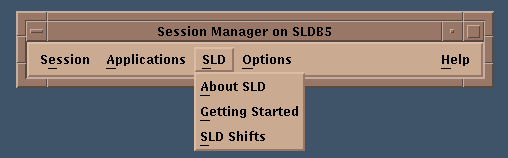
  1. Select Shifts from the Session Manager Window

    If you are running the DecWindows session manager you can access the shifts database interface by selecting SLD Shifts from the SLD menu.
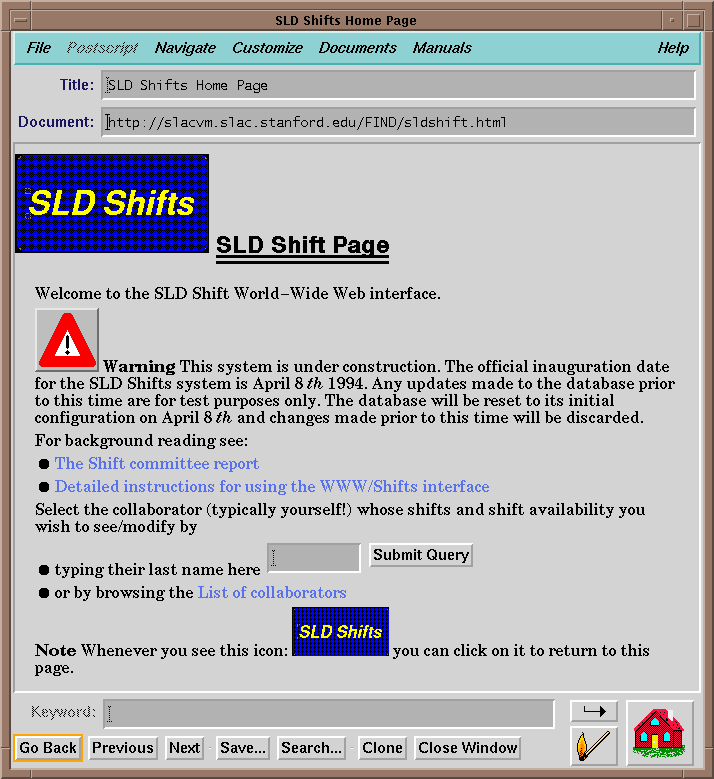
  2. Issue the DCL command SHIFTS from a DECTERM window In either event a window will appear which should look something like:

    Note that the any text which appears emphasized (typically blue or underlined) is a link which you can click on to get further information. You can access your own shift information by typing your surname in the space provided, or by selecting your name from the list of collaborators.

    Once you have done this you will be presented with a screen which looks like:
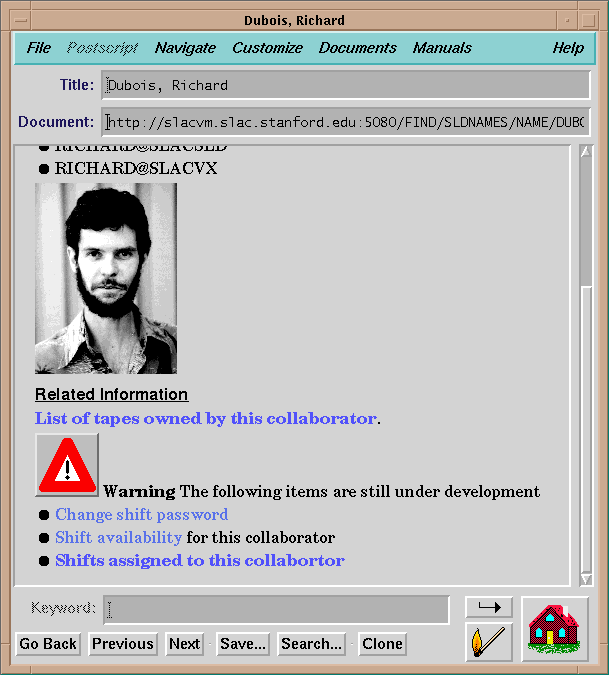
    The shift options are listed at the bottom of this screen. You can

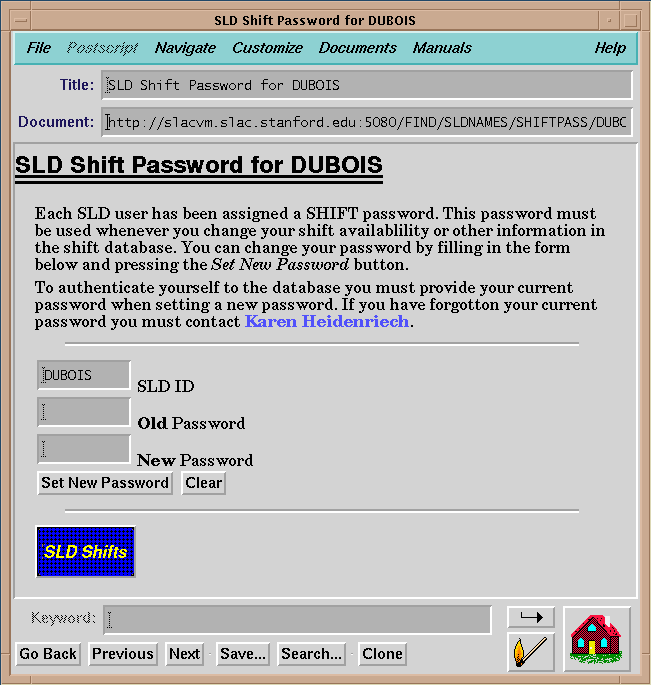
    The first thing you must do is modify your shift password. To do this click on the Change Shift Password link and then fill in the form which will appear.

    Once you have changed your password and submitted the change using the button at the bottom of the form you can proceed to set your shift availability. You will be presented with a screen similar to this:
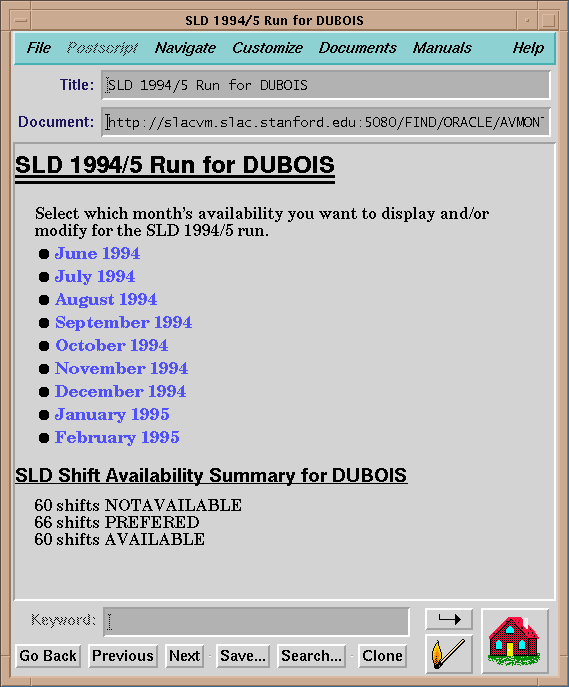
    Note that the bottom of the page summarizes the number of shifts for which you are currently listed as Available/Unavailable/Preferred. By selecting each month in turn you can go in and modify your shift availability. For each month the display will look like:
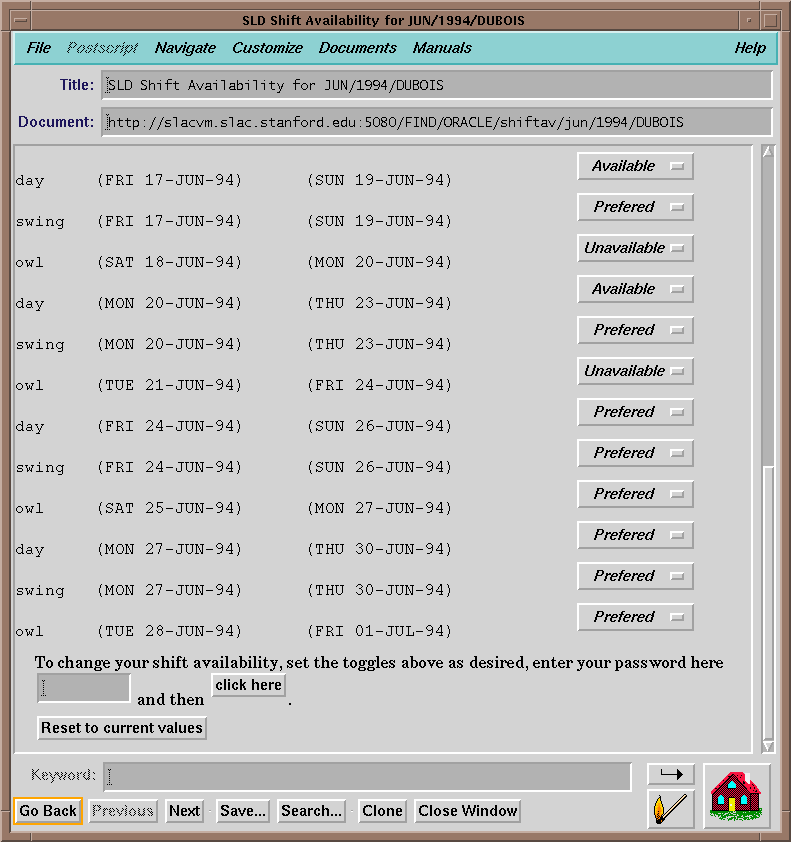
    For each shift block you can set the status to Available/Unavailable/Preferred. To submit the changes you must give your password and press the button marker Click Here.

    Using a line-mode terminal

    To access the shifts database using a line mode terminal log in to SLACVX or SLD and issue the command:
           SHIFTS
    
    You will be presented with a screen that looks like this:
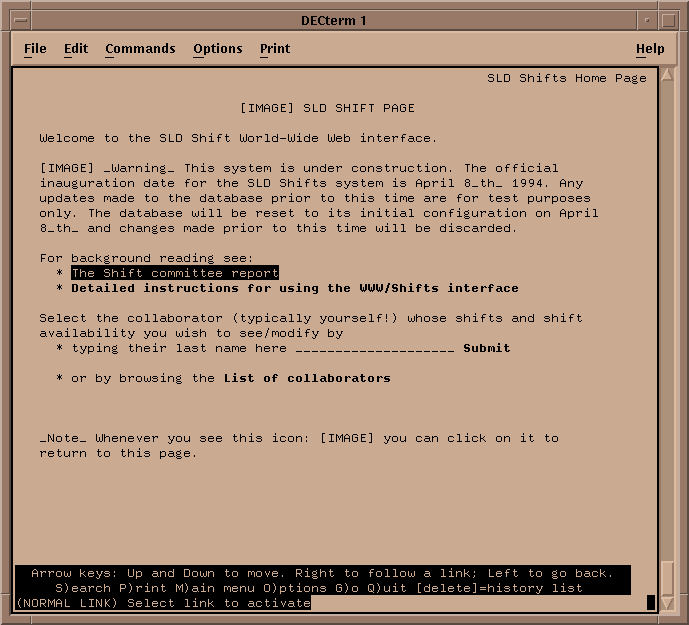
    In this display highlighted (bold) areas are links to further information. To follow a link move the cursor to the link using the up-arrow and down-arrow keys, and then hit Return.

    The area following last name here in the above example is an input area. To enter text move the cursor to the appropriate field and start typing. To send the query to the database move the cursor to the bold Submit and hit return.

    The information provided by the line-mode interface is identical to that provided by the x-windows interface described above. You should be able to proceed by following the instructions given above.

    Accessing the shifts database from elsewhere

    You can access the shifts database from any World-Wide Web browser that supports forms. Currently the browsers that are known to work are: Note that as of this writing (March 1994) the PC and MAC versions of Mosaic do not support forms and cannot be used to access the shift database. We expect new version of these products which do support forms to be available in a few weeks.

    You can access the SLD shifts database by following the link to SLD from the SLAC Home Page, and then following the link to SLD Shifts. Alternatively you can access the SLD shifts page directly by using the URL:

          http://www-sldora.slac.stanford.edu:5081/FIND/sldshift.html
    

    If you have any problems in using the World-Wide Web interface to the SLD shifts system please do not hesitate to contact:

    Karen Heidenreich or
    Tony Johnson