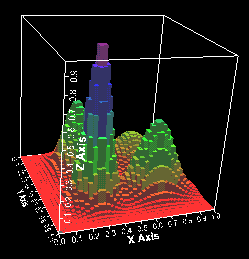
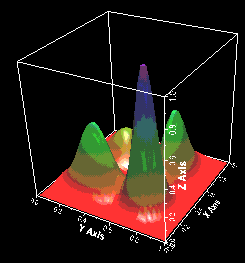
As of JAS 2.2.2 we have added some experimental support for 3D lego plots and surface plots using Java 3D. This is based on standalone 3D plot widgets developed by Joy Kyriakopulos at Fermilab.
To use this new feature you must have the Java 3D extension installed with the Java virtual machine that you are using. You can find more information on the Java3D home page. The OpenGL version of Java 3D is included with the windows version of JAS. For best results you must ensure that you have the latest video driver for your viideo display adapter, and that your dirver has built in support for OpenGL or DirectX. Without this you will not gain any benefits from 3D hardware acceleration in your display card and 3D performance will be very poor.
To use the Java 3D plots you must create a 2D plot or scatter plot in JAS. Then when viewing the plot choose right click on the plot and choose Plot Style from the popup menu, and then select 3D Lego Plot or 3D Surface Plot. If these items do not appear in the popup menu then you do not have Java3D installed correctly.
Once viewing a lego or surface plot you can manipulate it as follows:
There are a number of known problems stemming from the interaction of Java3D with the Swing GUI used by JAS. In particular the Java3D windows cannot be hidden by Swing GUI components which should go on top of them. Thus scrolling 3D plots or putting them into internal frames on the JAS desktop will not work as expected (choose "View", Window Style", Tabbed Panels" for best results. In additon the 3D performance can become sluggish if the plots have many bins. There is currently no support for printing 3D plots in JAS.