This help section will show you how to instantaneously check for new developer or production release versions of JAS, and how to set JAS to perform a version check each time the application starts.
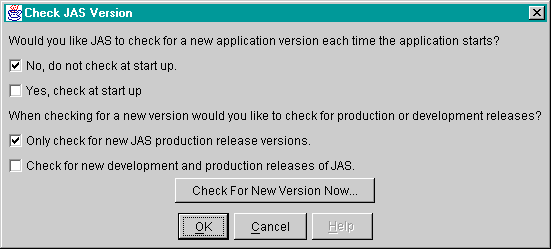
The first time a new user starts JAS the application version check option window will appear, as shown below. This window can also be generated at any other time by selecting 'Check JAS Version...' from the 'Help' menu. Each time the window is displayed the users previous selections are displayed.
The first two check boxes allow you to toggle whether or not you would like JAS to check for new versions each time the application starts. If you select 'Yes, check at start up', then each time the application starts it will read the latest version number code from a web page and compare it to the the current version number you are running. If a new release is available you will be notified at start up.
The second set of check boxes allows you to set which type of new release is checked for when a version comparison is performed. You may check for only production release version of JAS, which are the most stable, or you may choose to be notified of new development and production versions.
You may also instantaneously check for new versions of JAS by clicking the 'Check for New Version Now...' button. A message window will appear which will tell you if you are running the current version of JAS or if an update is available.