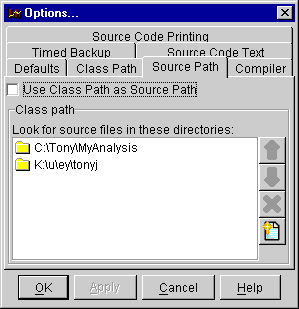
The Source Path page in the Options Dialog controls which directories are searched when trying to locate source code.
If the check box labeled 'Use Class Path as Source Path' in the dialog box is
turned on, then the source path is set to be the same as the class path, and all
other options are disabled. With the check box turned off, you can add and
remove items from the source path using the  and
and  buttons, and change the search
order using the
buttons, and change the search
order using the  and
and  buttons.